3-in-1 Magnetic Charger Stand: Fast 15W, Less Clutter
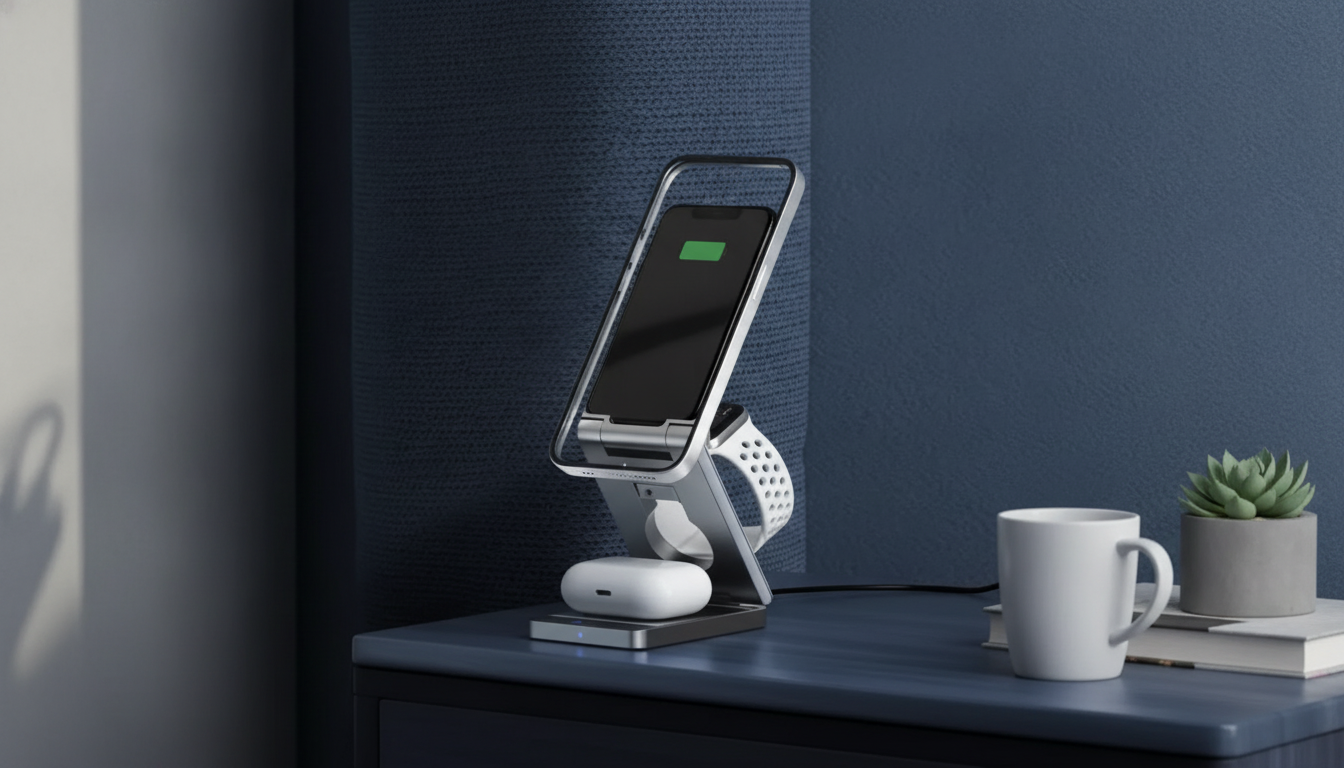
3-in-1 Magnetic Wireless Charging: One Dock for Your Daily Devices
A 3-in-1 magnetic charging stand keeps a phone, earbuds, and a smartwatch powered from one compact dock—reducing cable clutter while making daily grab-and-go routines easier. Instead of hunting for three different chargers (and three open outlets), a single station creates a consistent “home base” where everything lands, charges, and stays visible.
If you’re considering the 3-in-1 Magnetic Wireless Charger Stand – Fast 15W Charging Station, the details that matter most are alignment, real-world speed, and whether your exact devices match the stand’s charging methods. Below is a practical guide to what it’s built to do, how to set it up, and what to check before buying.
What this charging stand is designed to solve
- One centralized station instead of multiple chargers: A single docking spot can replace separate phone, earbuds, and watch chargers for everyday use.
- Devices stay visible and accessible: A stand-style phone mount is convenient for alarms, incoming calls, and notifications while charging.
- Magnetic alignment reduces “missed charging”: When the phone snaps into place, the charging coils typically line up more consistently than on flat pads.
- Comfortable viewing angle: A stable stand supports quick glances at the screen without picking the phone up every time.
3-in-1 layout and everyday use cases
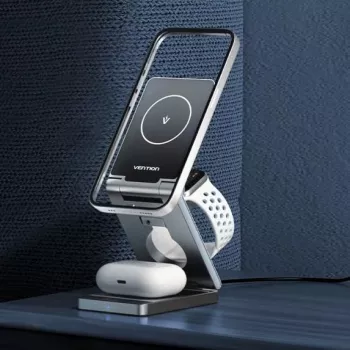
Most 3-in-1 stations follow the same logic: a magnetic phone pad for quick alignment, a dedicated watch spot, and a flat pad for wireless earbuds cases. That structure is especially useful when your daily carry is always the same trio.
- Phone pad: Magnetic attachment encourages consistent placement for charging and a fast one-handed pick-up.
- Watch charging spot: Keeps your smartwatch “parked” in a predictable place overnight so it’s ready for the morning.
- Earbuds pad: A dedicated area for wireless-charging cases prevents loose cables from taking over a nightstand.
- Typical setups: Bedside overnight charging, desk top-ups during the day, or an entryway drop zone to keep essentials together.
To extend the clutter-free setup beyond charging, consider pairing your station with a space-planning resource like Maximize Function, Minimize Clutter | Multifunctional Room Layouts eBook, especially if you’re organizing a small nightstand or a shared family charging spot.
Charging speed and what “15W fast charging” means in practice
“15W fast charging” is a helpful benchmark, but wireless charging speed varies in real life. The phone model, battery temperature, case thickness, and the wall adapter behind the station all influence what you actually see on screen.
- Device-dependent wattage: Many phones dynamically adjust charging power to manage heat and protect long-term battery health.
- Adapter quality matters: A strong, stable wall adapter is often the difference between consistent fast charging and intermittent slowdowns.
- Alignment impacts performance: Magnetic alignment typically improves consistency, but thick or metal cases can reduce speed or prevent charging.
- Shared power: When phone, earbuds, and watch charge together, the station may distribute total power across pads to maintain safe temperatures.
For background on standards, the Wireless Power Consortium explains how the Qi wireless charging standard works, and the USB Implementers Forum provides details on USB Power Delivery for modern power adapters.
Compatibility checklist before buying
- Phone: Works best with magnetic-alignment ecosystems and Qi-compatible wireless-charging phones.
- Cases: Magnetic rings or magnetic-compatible cases help alignment; very thick cases can slow charging or prevent it.
- Earbuds: Requires a wireless-charging case (not all earbuds cases support wireless charging).
- Smartwatch: Confirm the stand supports the watch’s charging method. Some designs require your original watch charging puck, while others integrate a watch charging module.
- Power source: Ensure the adapter and cable can deliver sufficient stable power to run all three devices reliably.
If you use magnetic phone accessories, it also helps to review manufacturer guidance like Apple’s overview of MagSafe behavior and supported accessories for certain iPhone models.
Key features to look for in a magnetic wireless charging stand
Side-by-side: one 3-in-1 station vs separate chargers
| Setup | Best for | Trade-offs |
|---|---|---|
| 3-in-1 magnetic stand | Nightstands, work desks, shared charging spot for daily carry devices | Less flexible if devices are often charged in different rooms |
| Separate chargers (3 cables/pads) | Mix-and-match across rooms; easy to replace one part | More cable clutter; can require more outlets |
| Single wireless pad + cables | Minimal cost; occasional wireless charging | Phone alignment can be finicky; earbuds/watch may still need cables |
How to set it up for reliable charging
If you’re building a cleaner nightstand routine overall, a simple process guide like One Room, Real Progress: A Simple Step-by-Step Guide for Stress-Free Home Organization can help keep cables, accessories, and daily carry items from drifting into clutter again.
Care, safety, and troubleshooting
Product snapshot
- Product: 3-in-1 Magnetic Wireless Charger Stand – Fast 15W Charging Station
- Best fit: People who carry a phone, earbuds, and smartwatch daily and want a single charging home base.
- Ideal locations: Nightstand, office desk, kitchen counter drop zone.
- Current availability: In stock.
FAQ
Will it charge through a phone case?
Usually yes with standard cases, but magnetic-compatible cases or rings improve alignment and consistency. Very thick cases or metal accessories can reduce charging speed or prevent charging altogether.
Can all three devices charge at the same time?
Yes, a typical 3-in-1 station is designed for simultaneous charging, but total power is managed across the pads. Using a sufficiently powerful, high-quality adapter helps maintain steady performance.
Why is my phone charging slowly on a wireless stand?
Slow wireless charging is often caused by an underpowered adapter, misalignment, heat buildup, or an incompatible/thick case. Reseat the phone, remove accessories that add metal or thickness, and confirm your adapter meets the station’s input requirements.





Leave a comment