Digital Overload to Focus: A 7-Day Reset Plan
Gadgets, Mental Fatigue, and the Path Back to Focus
Screens, alerts, and endless feeds are built to feel helpful—until your attention starts to feel “thin,” your thoughts get choppy, and the day ends with a quiet kind of exhaustion. Mental fatigue from constant device use doesn’t always show up as dramatic burnout; more often it appears as trouble starting, trouble finishing, and a lingering sense of being behind. The good news: small, practical boundaries can restore focus without ditching technology.
Why gadgets feel so hard to put down
Modern devices don’t just offer tools; they offer tiny bursts of novelty. That design makes it easy to reach for a phone even when you intended to rest, work, or connect with someone nearby.
- Variable rewards (new messages, likes, headlines) train the brain to check “just once more,” because the next refresh might deliver something interesting.
- Notifications create urgency even when nothing is truly urgent, nudging the mind into a reactive posture.
- Infinite scroll and autoplay remove natural stopping points, so you don’t get the built-in “end of the chapter” cue that helps you pause.
- Multitasking across apps increases cognitive load and reduces satisfaction—your brain spends energy switching rather than building momentum.
- “Quick checks” fragment time, making deeper tasks feel more intimidating because you rarely get a clean runway to begin.
How digital overload shows up in the mind and body
Digital overload isn’t only about time on screens; it’s about interruptions, emotional stimulation, and constant decision-making. Over time, that combination can affect mood, sleep, and stress levels. The American Psychological Association notes that stress affects the body in wide-ranging ways, and persistent low-grade activation can make it harder to feel restored. Sleep can also take a hit; the National Sleep Foundation highlights how electronics can interfere with winding down and sleep quality.
- Attention residue: part of the mind stays with the last app or conversation, slowing the next task.
- Decision fatigue: countless micro-choices (reply, swipe, open, ignore) drain mental energy.
- Stress response: constant cues can keep the nervous system slightly activated throughout the day.
- Sleep disruption: late-night light exposure and mental stimulation delay wind-down.
- Emotional spillover: comparison, outrage cycles, and bad-news loops amplify irritability and worry.
Common signs of gadget-related mental fatigue and what they point to
| What you notice | What it may mean | Small first step |
|---|---|---|
| Checking the phone without thinking | Habit loop triggered by boredom or anxiety | Move the phone out of reach during meals and conversations |
| Trouble starting focused work | Task feels “too big” after frequent interruptions | Set a 10-minute timer and start with a single micro-step |
| Feeling tired after scrolling | High cognitive/emotional load without recovery | Replace one scroll session with a short walk or stretch |
| Sleep feels lighter or delayed | Late stimulation and screen light | Create a 30–60 minute screen-free buffer before bed |
| Forgetfulness and scattered thoughts | Working memory overloaded by constant context-switching | Batch messages into 2–4 check-in windows per day |
Reclaiming attention: principles that work without perfection
Focus isn’t an all-or-nothing trait. It’s often the result of environment design: fewer triggers, clearer boundaries, and built-in recovery.
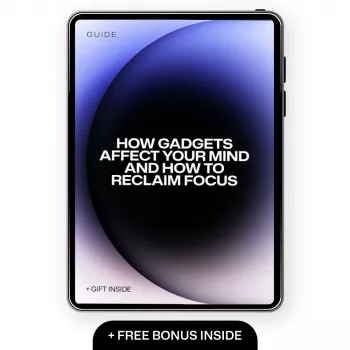
For extra support beyond willpower, a structured resource can help turn these principles into repeatable routines. How Gadgets Affect Your Mind and How to Reclaim Focus – Digital Guide on Gadgets and Mental Fatigue, Reclaim Attention, Reduce Digital Overload, Mindful Tech Use walks through common patterns behind digital overload and offers step-by-step adjustments you can actually keep.
A simple reset plan (7 days)
If cluttered spaces add to the sense of mental overload, pairing a digital reset with a simple home reset can make focus feel more natural. Consider One Room, Real Progress: A Simple Step-by-Step Guide for Stress-Free Home Organization to reduce visual noise in the places where you work and rest.
Mindful tech use that sticks: routines for real life
To make “single-purpose spaces” easier at home—especially in small apartments—room layout matters. Maximize Function, Minimize Clutter | Multifunctional Room Layouts eBook | Small Space Design Guide | Space-Saving Furniture & Smart Home Ideas can help set up clearer boundaries between work, rest, and downtime so your brain gets stronger cues to focus and recover.
A guided approach for reducing digital overload
- For a structured, step-by-step approach to understanding mental fatigue from gadgets and building healthier attention habits, consider: How Gadgets Affect Your Mind and How to Reclaim Focus – Digital Guide on Gadgets and Mental Fatigue, Reclaim Attention, Reduce Digital Overload, Mindful Tech Use.
- Works best when paired with a small weekly commitment: change one setting, protect one focus block, and add one offline recovery activity.
- Helpful for people who want clear explanations plus practical routines rather than relying on willpower alone.
FAQ
How long does it take to feel more focused after cutting back on screen time?
Many people feel some relief within a few days when notifications and interruptions drop, but deeper changes—like improved sleep and breaking habit loops—often take a few weeks. Start with silencing non-essential alerts and using scheduled check-ins so the benefits show up quickly.
Is multitasking on devices actually harming productivity?
Frequent task-switching creates “attention residue,” meaning part of your mind stays stuck on what you just left, which slows the next task. Single-task blocks and batching messages usually improve both speed and quality of work.
What are the easiest settings to change for immediate relief from digital overload?
Turn off non-essential notifications, remove app badges, limit lock-screen previews, and use Focus/Do Not Disturb during work and family time. App timers or moving distracting apps off the home screen can also reduce reflexive checking.



Leave a comment