Leather Executive Gaming Chair on Wheels: Ergonomic Comfort
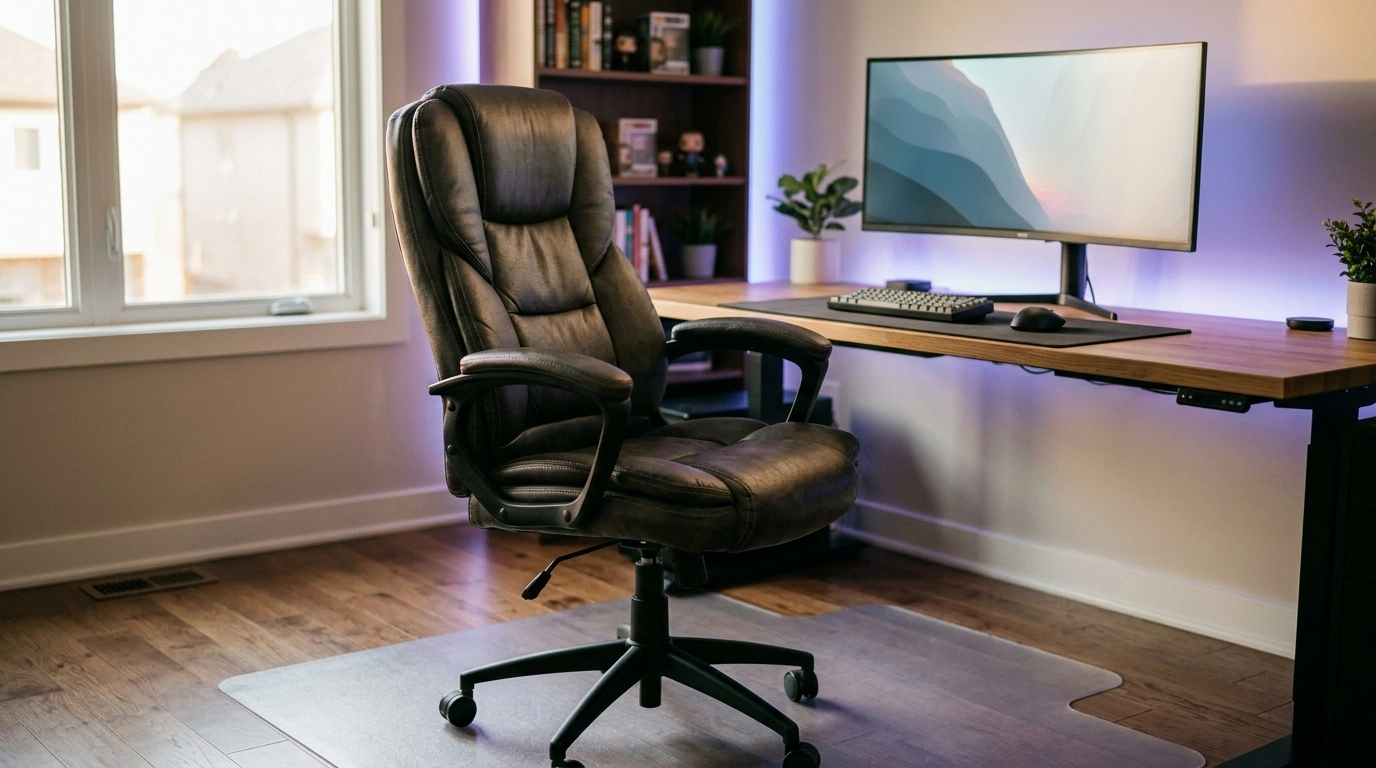
Ergonomic Leather Executive & Gaming Office Chair with Wheels: Comfort for Long Workdays and Late-Night Sessions
A chair that pulls double duty for focused work and immersive play needs more than a bold look—it needs supportive ergonomics, durable materials, and smooth mobility that fits the space. This guide breaks down what matters most in an executive-style leather gaming chair with wheels, how to set it up for daily comfort, and how to keep it looking and feeling great over time.
What Makes This Style of Chair Different
An executive leather gaming chair tends to sit in the sweet spot between boardroom polish and marathon-session support. You’ll usually notice a taller backrest, deeper cushioning, and a more “finished” leather look than many racing-style chairs.
- Executive feel with gaming-ready support: a high-back profile and structured padding that looks at home in an office while still feeling “locked in” for focused tasks.
- Built for long sessions: emphasis on pressure distribution in the seat, steady lumbar contact, and head/neck support when you lean back.
- Mobility as part of ergonomics: swivel and wheels reduce repetitive twisting and reaching, which can make desk workflows feel smoother.
- Aesthetic versatility: leather-like finishes can blend into professional setups without clashing with a streaming or gaming corner.
If you’re shopping for one chair to cover both roles, start with a model that treats posture support and day-to-day durability as non-negotiables, like the Ergonomic Leather Executive & Gaming Office Chair with Wheels.
Comfort and Ergonomics to Prioritize
Ergonomics isn’t about a single “perfect posture.” It’s about fit, support in the right places, and the ability to shift positions without losing alignment.
- Seat height range: aim for feet flat on the floor (or a footrest), with knees roughly level with hips.
- Seat depth and edge shape: enough depth to support your thighs while leaving space behind your knees to reduce pressure.
- Lumbar support: look for a shape that encourages a natural lower-back curve; avoid a slouchy feel that rounds your spine for hours.
- Backrest shape and height: a high back can support upper back and shoulders; head/neck support matters if you recline often.
- Armrest position: arms should rest lightly with relaxed shoulders; armrests that sit too high can create neck and shoulder tension.
- Recline and tilt tension: controlled reclining makes breaks easier; stable tension prevents that sudden “dump” backward.
Quick fit check at your desk
| Adjustment | Best starting point | Common sign it needs changing |
|---|---|---|
| Seat height | Feet flat, knees ~90–110° | Feet dangling or knees pushed upward |
| Seat depth | 2–3 fingers behind the knee | Numbness behind knees or slouching |
| Armrest height | Elbows supported, shoulders relaxed | Shoulders raised or elbows floating |
| Lumbar feel | Firm contact at lower back | Lower-back fatigue after 30–60 minutes |
| Monitor distance | About an arm’s length | Leaning forward or craning neck |
For more workstation alignment basics (chair, keyboard, and monitor positioning), OSHA’s guidance is a solid reference: OSHA Computer Workstations eTool.
Leather Comfort: What to Expect and How It Feels Over Time
Leather and leather-like upholstery can feel premium and supportive, but comfort changes depending on temperature, break-in, and how the seat foam responds to your weight.
- Breathability: leather surfaces can run warmer; a cooler room, a fan, or lighter clothing can make a big difference during longer sessions.
- Cushion break-in: foam often softens slightly; supportive comfort is the goal, not a “sink-in” feel that collapses posture.
- Texture and grip: smoother upholstery makes repositioning easy; if you find yourself sliding forward, revisit seat height and tilt.
- Noise and movement: well-fitted panels and solid hardware reduce squeaks—plan to re-tighten bolts after the first week or two of heavy use.
Long-term comfort is also about changing positions. NIOSH highlights the importance of ergonomics and reducing musculoskeletal strain over time: NIOSH – Ergonomics and Musculoskeletal Disorders.
Wheels, Casters, and Floors: Smooth Rolling Without Damage
Mobility is part of comfort: when the chair glides and swivels predictably, you reach less with your torso and shoulders—and your posture holds up longer.
- Caster type matters: harder casters often roll easily on carpet; softer polyurethane-style casters are typically gentler on hard floors.
- Floor protection: a chair mat can prevent scuffs on wood/vinyl and reduce resistance on thicker carpet.
- Stability and turning: smooth swivel helps you pivot to drawers, second monitors, or side tables without repeated twisting.
- Cable management: keep cords and power strips away from wheel paths to prevent jams and abrupt stops.
Set Up the Chair for Your Body (10-Minute Tune-Up)
Care and Maintenance for a Leather Executive Gaming Chair
Who This Chair Tends to Suit Best
If the chair will live in a compact or multipurpose room, pairing it with a practical space-planning resource can help the whole setup feel better day to day. Two helpful options are Maximize Function, Minimize Clutter | Multifunctional Room Layouts eBook | Small Space Design Guide | Space-Saving Furniture & Smart Home Ideas and One Room, Real Progress: A Simple Step-by-Step Guide for Stress-Free Home Organization.
FAQ
Is a leather executive gaming chair comfortable for all-day work?
It can be, as long as the chair fits your body and is adjusted correctly (seat height and depth, lumbar contact, and armrest alignment). Comfort also improves when you change posture throughout the day—brief recline breaks and short stand-up resets help a lot.
Will the wheels damage hardwood or laminate floors?
Some casters can scuff, especially if grit gets trapped in the wheels. A chair mat or softer casters can reduce risk, and quick wheel/floor cleaning prevents fine debris from acting like sandpaper.
How should the chair be adjusted to reduce lower-back fatigue?
Start with feet flat and sit fully back so the lumbar area supports your natural curve. Keep your head from drifting forward, and use controlled recline periodically so your lower back isn’t holding the same position nonstop.





Leave a comment